Albania
 Argentina
 Australia
 Austria
 Belgium
 Bosnia and Herzegovina
 Brazil
 Bulgaria
 Canada
 Chile
Chile
 Colombia
 Croatia
 Czech Republic
 Denmark
 Estonia
 Finland
 France
 Germany
 Greece
 Hungary
 Ireland
 Italy
Italy
 Latvia
 Lithuania
 Luxembourg
 Mexico
 Moldova
 Montenegro
 Netherlands
 New Zealand
 North Macedonia
 Norway
 Philippines
 Poland
 Portugal
 Romania
 Serbia
 Slovakia
 Slovenia
 South Africa
 Spain
Spain
 Sweden
 Switzerland
 Turkey
 Ukraine
 United Kingdom
 United States of America



Wireless On-ear headphones
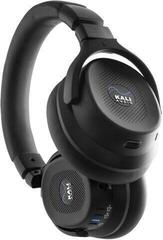
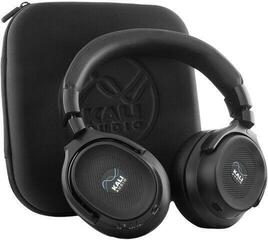
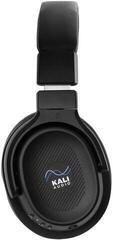
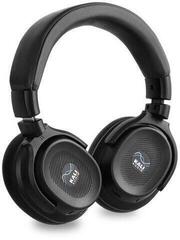
Wireless over-ear headphones combine the comfort of larger earcups with the freedom to listen from your phone, computer, or TV. This category includes models that rest on the ear as well as headphones whose earcups fully enclose it. You'll notice the difference in comfort, outside noise isolation, size, and how long you can wear them. When choosing, don't focus only on sound – weight, microphone, controls, and source compatibility matter just as much.
On-ear or over-ear design
On-ear headphones sit on the outer ear, tend to be more compact, and are easier to carry. Over-ear models enclose the ear, which can provide better passive isolation and more even pressure around it, but they take up more space. Comfort also depends on head shape, headband clamping force, and earcup material. If you plan to wear the headphones for hours on end, it's worth prioritising ergonomics over the smallest possible size.
Active noise cancellation and ambient sound mode
Active noise cancellation mainly helps to suppress steady sounds, such as the hum of a vehicle or air conditioning. It doesn't fully replace physical isolation, and its effectiveness varies between models. Ambient sound mode, on the other hand, lets outside sound through the microphones so you can hear announcements or chat briefly without taking the headphones off. In traffic and in places where you need to be aware of your surroundings, use isolation with care.
Battery life, charging, and wired backup
Compare stated battery life under similar conditions, since volume, active noise cancellation, and calls all affect consumption. Fast charging comes in handy before you leave, but check what cable and charging connector the model uses. Some headphones support listening via an audio cable; others work wirelessly only. Choose a spare or longer cable based on the connectors available among headphone cables.
Which wireless headphones suit you?
| Use case | Prioritise | Check |
|---|---|---|
| Commuting and travel | Compactness, isolation, easy controls | Battery life and ambient sound mode |
| Work and calls | Clear microphone, comfort, multipoint | Feature compatibility with your computer and phone |
| Home listening | Comfort during long wear and sound to your taste | Option for wired connection |
| Gaming | Low latency and a good microphone | Supported wireless connection for your console or PC |
For video calls and gaming, a model with a microphone closer to your mouth may be more practical; you'll find a dedicated selection among PC and gaming headsets with microphone. With a standard Bluetooth model, call quality also depends on ambient noise and microphone processing.
Connectivity and switching between devices
The Bluetooth version alone doesn't determine sound quality or range in every situation. What matters is that the headphones and source device share support for the same features. Multipoint lets certain models stay connected to two devices at once – such as a laptop and a phone – but the way switching works varies. If you frequently watch video or play games, check the latency and any dedicated gaming mode as well.
When in-ear headphones are the better choice
Large headphones offer convenient controls and generally larger earcup surfaces, but they won't fit in a small pocket. For sport, hot weather, or travelling light, wireless in-ear headphones may be more practical. The full selection of both designs can be found among wireless Bluetooth headphones.
Comfort can't be read from weight alone
Lighter headphones are not automatically more comfortable. What counts is weight distribution, headband clamping force, earcup depth, and whether your ear touches the inner grille. Soft earcups may seal well but can cause more warmth during prolonged wear. If you wear glasses, the frame can affect the seal and the pressure at your temples, so pay attention to the shape and flexibility of the earcups.
You can tolerate a different clamping force on a short commute than during an entire working day. A folding joint makes transport easier, but check how the headphones fold and whether they fit comfortably in their case. Controls should be recognisable without removing the headphones. Touch surfaces look clean, but physical buttons can be more reliable with gloves or when moving.
Microphone for calls and work
Call quality isn't determined by the number of microphones listed in the specs. What matters is how well the headphones separate your voice from wind, traffic, or office conversations. For the occasional call, a built-in solution is enough; for regular meetings, a microphone positioned closer to your mouth may be more suitable. Also check whether the microphone can be muted directly on the headphones during a call, and whether the app you use correctly selects both input and output.
Working with two devices
If you're listening from a laptop and need to take a call from your phone at the same time, multipoint can save you from manually disconnecting. The behaviour isn't the same across all models: on some, playback switches automatically; on others, you have to pause the first source first. Before buying, be clear about whether you want two simultaneous connections or just fast pairing with multiple stored devices. These terms are often confused in product descriptions.
Sound matched to how you listen
For podcasts and spoken word, you mainly need clear mids and intelligibility. For electronic music you might prefer more pronounced bass; for acoustic recordings, a more natural rendering of voices and instruments. An equaliser app can help you shape the sound, but it won't replace a comfortable design or good earcup seal. If you listen quietly, check whether the sound stays balanced at low volume.
Wireless codecs only work when both the headphones and the source support them. A higher designation doesn't guarantee a noticeably better result on a noisy bus. When choosing, first sort out comfort, connection stability, and intended use – then compare technical abbreviations. For watching video and gaming, the total system latency also matters.
Practical selection scenarios
For an open-plan office
Prioritise comfort during long wear, a clear microphone, and fast switching between computer and phone. Active noise cancellation can quieten constant background noise, but may not fully eliminate colleagues' voices. Ambient sound mode is handy for brief communication. Also check whether the headphones can be used while charging, if that matters for your working routine.
For travel
A foldable design, sturdy case, and longer battery life are worth more than a host of features you won't use on the road. On a plane or train you'll appreciate a good seal and comfort when resting your head. A wired option can help with devices that lack Bluetooth, but the connector must be compatible and the headphones must support it. Download your content before you leave if you won't have a reliable connection.
For home movies and TV
Check whether your TV supports the required Bluetooth audio output and how it controls volume. With two listeners, the number of headphones that can be connected simultaneously may be a limitation. Sensitive users should pay attention to the delay between picture and sound. For a long film, comfort and low pressure are often more important than maximum isolation.
Care during everyday use
Clean the earcups according to the manufacturer's instructions and don't leave the headphones in a humid environment or a hot car for extended periods. A suitable case protects the earcups and hinges when carrying them; browse headphone cases. Before buying a case, compare the internal dimensions and the folding mechanism of your specific model.