Albania
 Argentina
 Australia
 Austria
 Belgium
 Bosnia and Herzegovina
 Brazil
 Bulgaria
 Canada
 Chile
Chile
 Colombia
 Croatia
 Czech Republic
 Denmark
 Estonia
 Finland
 France
 Germany
 Greece
 Hungary
 Ireland
 Italy
Italy
 Latvia
 Lithuania
 Luxembourg
 Mexico
 Moldova
 Montenegro
 Netherlands
 New Zealand
 North Macedonia
 Norway
 Philippines
 Poland
 Portugal
 Romania
 Serbia
 Slovakia
 Slovenia
 South Africa
 Spain
Spain
 Sweden
 Switzerland
 Turkey
 Ukraine
 United Kingdom
 United States of America



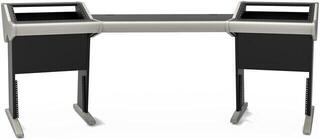
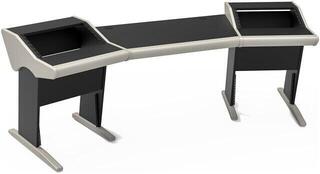
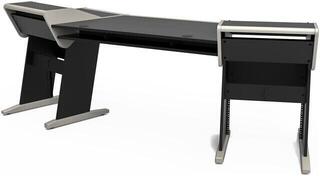
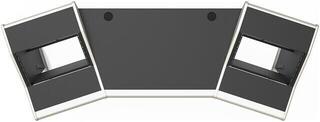
Studio Furniture
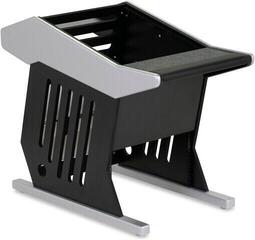
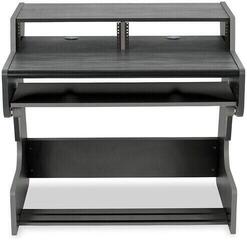
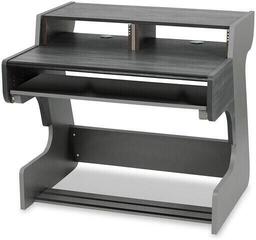
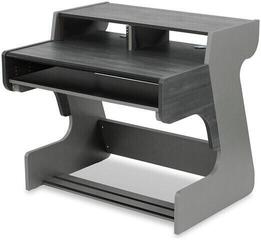
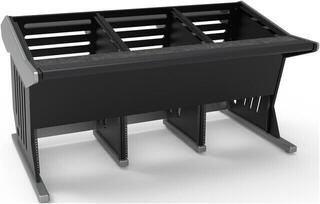
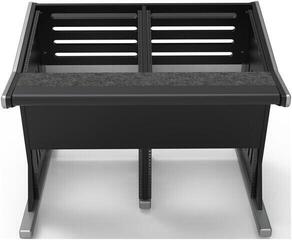
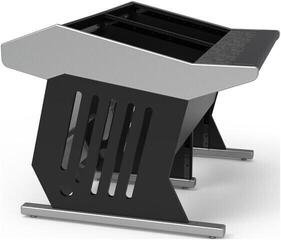
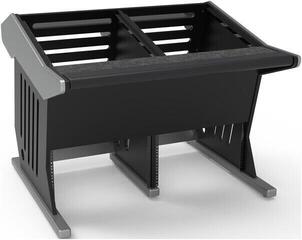
Studio furniture arranges your computer, keyboards, controllers, monitors and cables so that everything is within comfortable reach. However, you should not choose a good workstation solely by its appearance: it must fit the room, support the equipment and avoid interfering with accurate monitoring. Before buying, measure both the space and the equipment that will actually remain on the desk. Leave room for likely future expansion, not for shelves that you might use someday but that restrict your movement today.
Start with the floor plan, not a photo of the desk
Mark the doors, windows, radiators, power outlets and cable routes. Then add the desk's width and depth, as well as the space required to pull out the keyboard tray, open a cabinet or move the chair back comfortably. The external width does not tell you how much workspace will remain between the side panels or shelves. In a small room, mark the desk's footprint on the floor with tape. You will immediately see whether you can open the door and move the chair back.
| What to compare | Why it matters | How to check it |
|---|---|---|
| Width and depth | Determine the space available for the screen, controllers and forearm support | Measure the equipment and the free space needed to operate it |
| Worktop height | Affects the position of your shoulders and wrists | Compare it with the chair's adjustment range |
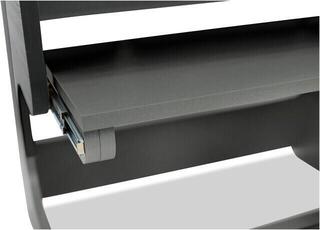
| Shelves and pull-out trays | Save space but may restrict legroom or visibility | Check the internal dimensions and range of movement |
| Load capacity | Must cover the combined weight of the equipment plus a safety margin | Add up the weights and follow the desk manufacturer's specifications |
| Cable management | Makes servicing and separating power from signal cables easier | Look for cable grommets, trays and rear access |
Ergonomics during longer sessions
You must be able to reach the volume controller, keyboard and mouse without leaning forward. Position the keyboard and mouse so that you do not have to raise your shoulders, and adjust the screen to suit your working position. A pull-out tray for a musical keyboard is useful only if there is still enough knee room under the desk and the instrument can be pulled out far enough. For devices with displays, also check the viewing angle; a deep upper shelf can obscure the controls.
Working while sitting and standing
If you alternate between positions, consider the adjustment range of the entire workstation, not just the worktop. Cables must have enough slack for the highest position and must not catch on the frame. Heavy equipment on a movable worktop changes the load on the mechanism, so add up the weights before assembly. With a fixed desk, focus on a suitable chair, foot support and sufficient space beneath the worktop.
Monitors and acoustics determine the layout
Studio monitors should face the listening position, and their tweeters are usually positioned approximately at ear level in accordance with the manufacturer's recommendations. A built-in shelf may not suit every size or the required spacing. Separate studio monitor stands allow you to adjust the position independently of the desk and reduce vibration transfer through the worktop. If the monitors remain on the desk, studio monitor isolation pads can help, but they do not replace correct positioning.
A large worktop and high shelves create reflective surfaces. Therefore, plan the furniture layout together with the studio acoustic treatment, rather than only after installing it. Furniture alone will not solve room reverberation, while acoustic panels cannot correct unsuitable speaker placement. When testing the layout, keep both sides of the listening position as similar as possible and avoid placing one monitor on a shelf and the other on a different surface.
Load capacity and stability without guesswork
Add up the weight of the computer, screens, speakers, keyboard instrument, rack equipment and everything that will remain on the shelves. Check the load capacity separately for the worktop, pull-out tray and upper shelves if these values are specified. Stability is affected by the floor, correctly tightened joints and weight distribution. Place heavier items lower down and do not put them at the edge, where they increase leverage and the risk of tipping.
- Check equipment dimensions, including protruding connectors.
- Do not cover the ventilation openings of the computer, amplifier or other equipment.
- For rack spaces, check the height, depth and access to cabling.
- If you play the keyboard more forcefully, watch for lateral movement of the structure.
- After assembly, check the joints according to the assembly instructions and add the load gradually.
Cables, power and everyday organisation
A cable grommet is useful only if the connector of the largest cable in use can pass through it. Beneath the worktop, you need space for a cable tray, power adapters and a power strip, while it is sensible to route power cables separately from sensitive signal cables. Do not pull cable bundles tight; leave enough slack to move the equipment and label each end. If a fault occurs, you will not have to dismantle half of the workstation.
A laptop or small computer frees up workspace when placed on a suitable PC stand or mount. The mount must match the device's dimensions and weight and must not restrict cooling. Also consider convenient access to ports, the power button and storage media. Concealed placement that requires you to bend down whenever you connect something tends to be more of an obstacle in practice.
Order of decisions when setting up
- Measure the room and draw in fixed obstacles.
- Determine the listening position and monitor placement.
- Arrange the most frequently used controls within easy reach.
- Choose the desk dimensions, shelves, pull-out trays and any rack spaces.
- Calculate the load capacity and plan the routing of both power and signal cables.
- After assembly, fine-tune the ergonomics and acoustics from your actual working position.
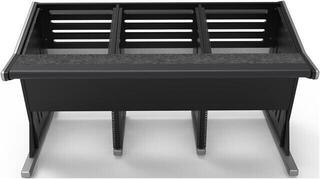
A modular solution is suitable if the setup changes frequently, while a fixed studio desk keeps a permanent workstation organised. When moving, you will appreciate a structure that can be dismantled without damaging the joints and dimensions that fit through doors or stairways. For editing and mixing, free worktop space and access to the controls matter; a keyboard player is more likely to benefit from a sturdy pull-out tray. In both cases, stability and sensible cable management are more valuable than unused shelves.