Albania
 Argentina
 Australia
 Austria
 Belgium
 Bosnia and Herzegovina
 Brazil
 Bulgaria
 Canada
 Chile
Chile
 Colombia
 Croatia
 Czech Republic
 Denmark
 Estonia
 Finland
 France
 Germany
 Greece
 Hungary
 Ireland
 Italy
Italy
 Latvia
 Lithuania
 Luxembourg
 Mexico
 Moldova
 Montenegro
 Netherlands
 New Zealand
 North Macedonia
 Norway
 Philippines
 Poland
 Portugal
 Romania
 Serbia
 Slovakia
 Slovenia
 South Africa
 Spain
Spain
 Sweden
 Switzerland
 Turkey
 Ukraine
 United Kingdom
 United States of America



Lavalier Wireless Systems
A wireless lavalier set transmits voice from a small microphone clipped to clothing through a bodypack transmitter to a receiver, allowing you to move more freely in front of a camera, on stage or during a presentation. It suits spoken word, interviews, conferences, theatre use, teaching and video or podcast production when the image or movement requires unobtrusive capture. The result depends on microphone position, connector compatibility, the selected wireless system and local conditions, not only the name of the set. Before buying, clarify the number of speakers, the recording or sound-reinforcement device and the power method.
What a set consists of
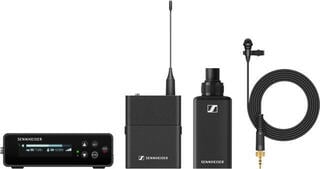
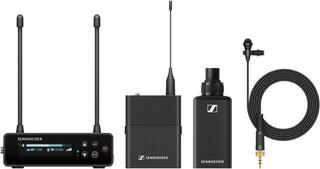
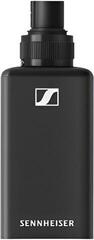
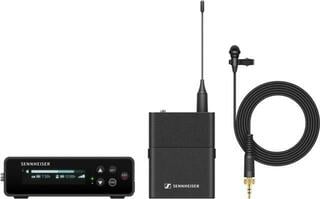
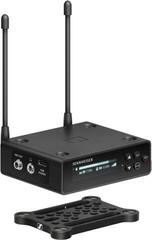
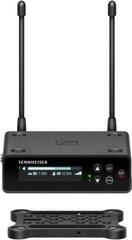
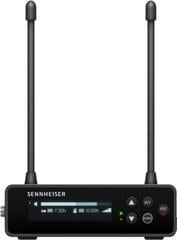
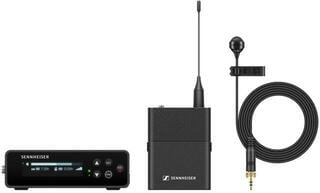
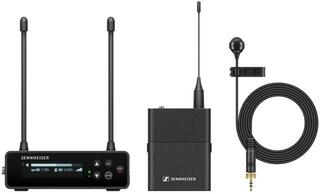
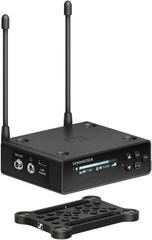
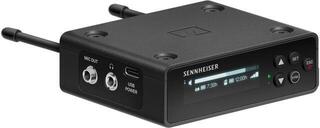
The basic set consists of a lavalier microphone, bodypack transmitter and receiver. Some kits include one channel; others handle multiple transmitters, but always check the package contents for the particular product. You may also need a cable or adapter for a camera, phone, recorder, audio interface or mixing console.
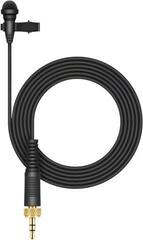
The lavalier microphone connects to the bodypack transmitter, and its connector may not be interchangeable between brands or product lines. Differences may concern contact wiring, power and mechanical locking. Therefore, choose a replacement microphone according to exact compatibility, not a similar appearance.
Comparison of uses
| Situation | Important characteristics | Practical check |
|---|---|---|
| Video with one speaker | Compact receiver, suitable output and easy setup | Camera or phone input and the correct cable |
| Interview with two people | Two microphones and separate or clearly mixed channels | How each person's signal is recorded |
| Conference and teaching | Stable attachment, battery overview, output to sound reinforcement | Coordination with other wireless systems |
| Theatre | Unobtrusive cable routing and secure transmitter attachment | Protection from sweat, movement and mechanical noise |
| Podcast at a desk | Freedom from cables only when the format needs it | Comparison with a wired studio solution |
Where the receiver signal will go
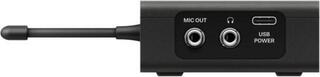
Both the receiver output level and wiring must match the input of the camera, recorder or mixer. A camera, phone, recorder and mixer can use similar-looking connectors in different ways. If you record into a computer, verify the inputs of your audio interface. With multiple sources, a mixing console can combine signals.
Set the receiver output and input sensitivity so that speech does not overload the recording or become unnecessarily quiet. Test with the loudest speech expected, not only whispering during setup. If the device offers a safety track at a lower level, verify how it is recorded and processed in your workflow.
Verify range directly at the venue
Range and stability are affected by walls, people, metal structures, antenna position and other radio traffic. A catalogue figure obtained in open space may not correspond to a filled hall. Place the receiver so that there are as few obstacles as possible between it and the transmitter, and walk through the whole area during soundcheck.
- Before the event, scan for or coordinate available channels according to the system's capabilities.
- Keep the transmitter and receiver away from interference sources and do not cover antennas in an unsuitable way.
- With multiple sets, verify how many simultaneous channels the configuration supports.
- Do not change frequency immediately before the programme without testing again.
- Observe rules for using frequency bands in the country where you deploy the system.
Microphone placement on clothing
Clip the microphone so speech is intelligible and the cable does not rub against fabric or jewellery. Chest placement is a common starting point, but distance from the mouth and the directional characteristic of the particular capsule change the result. Chin, scarf or hair can shadow the sound or cause rustling. Ask the speaker to move in the same way as during the programme.
With concealed attachment, the risk of rubbing and sweat increases. Use accessories intended for the microphone and clothing, and form the cable with a small strain-relief loop. Secure the bodypack transmitter so that it will not fall, restrict movement or be inaccessible when changing the battery.
Power and preparation
Batteries and charging
Find out whether the transmitter and receiver use replaceable cells or a built-in rechargeable battery. With a rechargeable battery, plan charging time and power availability between blocks. With replaceable cells, prepare a tested set and do not mix old and new ones. Check battery status on both sides of the link.
Test before filming or the programme
Automatic pairing simplifies operation, but does not replace a test. After switching on, check the sound in headphones, recording level and behaviour during movement. If the programme is important, have a replacement microphone, cable or another appropriate way to continue ready.
When to choose a headset or handheld microphone
A lavalier microphone leaves hands free and is unobtrusive on camera. For singing or a very loud stage, however, a microphone closer to the mouth may be more suitable; compare wireless headset sets. If a presenter hands the microphone to another person or needs to change distance quickly, wireless handheld sets may be more practical.
Checklist
- Determine how many people will speak simultaneously.
- Verify the target device input and every required cable or adapter.
- Check lavalier microphone compatibility with the bodypack transmitter.
- Choose a system suitable for a legally usable band and on-site coordination.
- Plan batteries, charging, attachment and protection during transport.
- Test voice, movement and the whole venue, and record a short reference sample.
Prepare a lavalier set as one chain from capsule to recording. Correct connection, microphone position and an on-site test are a more reliable foundation than a general promise of clean transmission.