Albania
 Argentina
 Australia
 Austria
 Belgium
 Bosnia and Herzegovina
 Brazil
 Bulgaria
 Canada
 Chile
Chile
 Colombia
 Croatia
 Czech Republic
 Denmark
 Estonia
 Finland
 France
 Germany
 Greece
 Hungary
 Ireland
 Italy
Italy
 Latvia
 Lithuania
 Luxembourg
 Mexico
 Moldova
 Montenegro
 Netherlands
 New Zealand
 North Macedonia
 Norway
 Philippines
 Poland
 Portugal
 Romania
 Serbia
 Slovakia
 Slovenia
 South Africa
 Spain
Spain
 Sweden
 Switzerland
 Turkey
 Ukraine
 United Kingdom
 United States of America



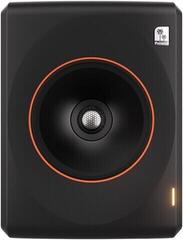
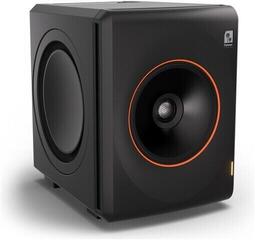
3-Way Active Studio Monitors
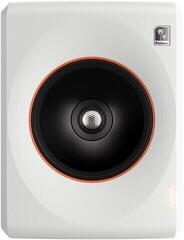
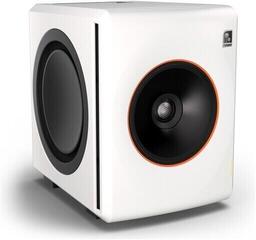
A 3-way active studio monitor divides sound between a separate woofer, midrange driver and tweeter, so each handles a narrower part of the spectrum. The midrange frequencies do not have to share a driver with the bass, which can make it easier to assess vocals, guitars and other mix elements. The amplifiers are built into the cabinet, so you connect the monitor to mains power and an audio output, most often on an audio interface. When choosing, assess the monitor together with room size, acoustics, placement and the available inputs.
Why separate the midrange
A three-way design is not meant to embellish sound. In studio work, you need to hear the relationships between bass, mids and highs clearly, so that equalization, compression and level decisions do not result from unclear monitoring. A dedicated midrange driver can help precisely in the range where vocals, electric guitars, keyboards and part of the drum kit meet.
Three ways still do not guarantee that a monitor will suit your workspace. Cabinet dimensions, bass-port design, room-correction options and listening distance are important as well. A larger monitor in a small untreated room may not lead to more accurate decisions; it may merely reveal the room's problems more prominently.
Comparison of designs
| Configuration | Practical characteristic | When to consider it |
|---|---|---|
| Single-driver | One driver reproduces the working part of the spectrum without a crossover band between drivers | Reference or space-saving monitoring, depending on the specific model |
| Two-way | A woofer/midwoofer is complemented by a tweeter | Home and project studios, especially at a shorter listening distance |
| Two-and-a-half-way | The pair of larger drivers do not have identical roles over the entire range | When you are looking for a different balance of size, bass response and midrange reproduction |
| Three-way | Bass, mids and highs each have their own driver | Detailed mix work and mastering in a room that gives the monitor suitable conditions |
The room matters together with the monitor
In a small room, low frequencies reflect between the walls and may be boosted or reduced at different positions. If you hear too much bass at the desk, it does not automatically mean there is too much of it in the recording. Before buying, consider the distance from walls, desk width and approximate listening distance. Room measurements and appropriately chosen acoustic treatment also help, rather than randomly damping every surface.
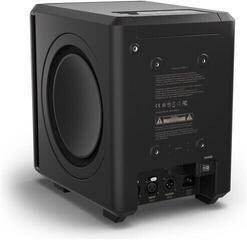
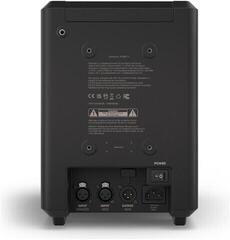
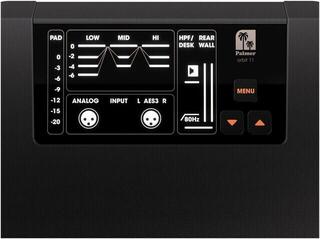
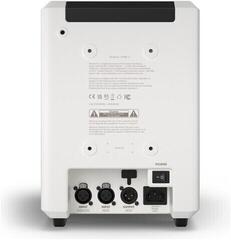
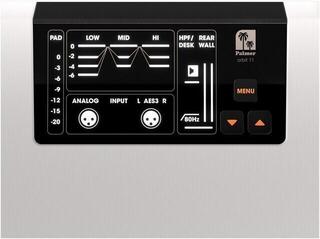
Rear-panel controls are for adapting to a specific placement. Bass and treble controls or switches for placement near a wall can mitigate part of the problem, but they do not replace an acoustic solution. If the room rings at low frequencies, see studio acoustic treatment. Choose a monitor only with an understanding of where you will actually place it.
Height, toe-in and the working triangle
- Place the left and right monitors symmetrically in relation to where you sit.
- Form an approximately equilateral triangle with the monitors and toe both in according to the manufacturer's recommendation.
- Set the tweeter approximately at ear level; with a different design configuration, observe the specified listening axis.
- Support the cabinets securely and equally on both sides, not on unstable objects.
- After changing position, listen to familiar recordings and check that the image between the left and right sides does not fall apart.
Connection and day-to-day operation
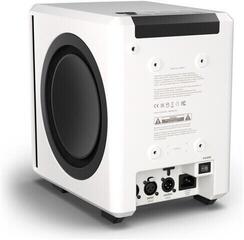
An active monitor needs power and an audio signal. Check that its inputs match the outputs of your interface and which cables you will need. In a studio, a balanced connection is commonly useful because it helps limit interference along the signal path, but always follow the connectors on both devices. If you do not yet have an audio interface, start in the audio interfaces category.
Also pay attention to level and sensitivity controls. For a pair, set both sides the same and adjust the usual volume from an accessible control, interface or monitor controller. It is practical when you can reach the correction controls without dismantling the workspace. When powering on and off, follow the device sequence so you do not send unpleasant transients to the monitors.
Choosing according to your work
Mixing larger projects
In a dense project, you need to distinguish which instruments interfere with each other, especially in the midrange. A three-way model makes sense if you have adequate distance, can position it correctly and the room does not colour the bass enough to mask differences between monitors. Also allow for the fact that a larger cabinet takes up more space and may be heavier.
Mastering and reference monitoring
For mastering, you need stable conditions and monitoring you know well. Splitting the sound into three bands can make more midrange information available, but you will build trust only through regular comparison with reference recordings and checking on other systems. Therefore, do not buy only according to the driver layout; consider the entire monitoring setup.
Small home studio
If you sit close to a wall or do not have room for wider spacing, a more compact model may be more sensible. Browse the full active studio monitors category and compare dimensions, recommended placement and controls. It may be more sensible to divide both money and free space between the monitor, stable support and basic room treatment.
Checklist before ordering
- Measure free space on the desk or stands, including room for cables.
- Verify the monitors' inputs and your interface's outputs.
- Consider whether the bass port will be close to a wall and which corrections the model offers.
- Check whether the product is sold individually or as a pair; the category name alone does not determine this.
- Include suitable cables and secure placement.
- Choose according to the actual listening distance, not only driver size.
A three-way monitor should make repeatable decisions easier, not conceal a lack of knowledge about the room. When you know the space, connection method and type of work you do, you can compare models by useful differences rather than one parameter.